What Is Gemini Storybook?
Gemini Storybook is a feature inside the Gemini app (desktop and mobile) that turns a text prompt, photo, or hand-drawn image into a complete 10-page illustrated storybook with narration. Google announced it in 2026 as part of Gemini's creative expansion, and it's available to all Gemini users aged 18+ globally.
What makes it stand out from generic AI image generators is that it treats the storybook as a coherent unit — the story has a beginning, middle and end, the illustrations follow a consistent art style across all 10 pages, and the characters maintain visual identity from page to page (though with some caveats, more on that in limitations).
Access: gemini.google.com/storybook · Pages per book: 10 · Languages: 45+ · Input: text prompt, photo, child's drawing · Free tier: Yes (with Google account) · Age: 18+
How to Create Your First Storybook (Step-by-Step)
-
1Open Gemini StorybookGo to gemini.google.com/storybook or open the Gemini app and look for the Storybook option. Sign in with your Google account if you haven't already. You must be 18 or older.
-
2Describe Your StoryType your prompt in the input box. Be specific — mention the main character, the setting, the lesson or theme, and the tone. Example: "A curious 6-year-old girl named Riya discovers a tiny dragon in her grandmother's garden in Kerala. The dragon teaches her that being different is a superpower."
-
3Choose an Art Style (Optional)You can specify an art style in your prompt (watercolour, pixel art, claymation, comic book, Studio Ghibli-inspired, coloring book, etc.) or let Gemini pick one based on the story's tone. Specifying gives more consistent results.
-
4Add a Photo or Drawing (Optional)Upload a photo of your child, a family member, or even a hand-drawn sketch. Gemini uses it as visual inspiration for the main character's appearance and art direction.
-
5Wait ~60–90 SecondsGemini generates all 10 pages with illustrations and text. You'll get a preview to flip through page by page, with audio narration playable directly in the browser or app.
-
6Share or RegenerateYou can share the book as a link, download it, or regenerate specific pages you're not happy with. You can also try the whole story again with a tweaked prompt.
All Art Styles — Tested
Gemini Storybook supports a wide range of visual styles. Here's how each one performs based on testing:
Prompt Tips for Better Results
The quality of your storybook depends almost entirely on your prompt. Here's what actually works:
Name your character and give them a clear goal
Don't write "a child learns about kindness." Write "Arjun, a shy 7-year-old boy in Mumbai, learns that sharing his lunch with a new classmate starts an unexpected friendship." Named, specific characters produce much more consistent illustrations across pages.
Specify the art style explicitly
Add "illustrated in a soft watercolour style" or "pixel art, retro 8-bit palette" at the end of your prompt. When you leave the style unspecified, Gemini picks something reasonable but rarely the best fit for your story's tone.
Add a setting with sensory detail
Locations like "a rainy rooftop in Tokyo" or "a sunlit coconut grove in Kerala" give the illustration model something concrete to render, which lifts the background quality dramatically compared to "a forest" or "a city."
Include a lesson or emotional arc
Storybook works best when there's a clear structure — problem, attempt, resolution. Something like "Meera is afraid of the dark, tries three brave things, and discovers night is full of wonder" maps neatly onto 10 pages with a satisfying arc.
[Character name], a [age]-year-old [trait] [who/from where], discovers [problem or adventure]. Along the way, [obstacle]. By the end, [lesson or resolution]. Illustrated in [art style].
Example: "Zara, a curious 8-year-old girl who loves space, discovers a tiny alien has landed in her backpack. Along the way she has to help it find its way home without her parents noticing. By the end they realise they're not so different. Illustrated in a soft watercolour style."
Who Is Gemini Storybook Best For?
Honest Limitations
Gemini Storybook is impressive for a free tool, but it has real gaps you should know about before you depend on it:
- Completely free with a Google account
- Generates a coherent 10-page narrative in under 2 minutes
- Read-aloud narration in 45+ languages
- Accepts photos and hand-drawn images as input
- Works on desktop and mobile
- Coloring book style is excellent for printing
- No design skills needed whatsoever
- Watercolour and claymation outputs are genuinely beautiful
- Character faces can change between pages
- You cannot edit individual pages or text directly
- Fixed at 10 pages — no shorter or longer books
- Adults 18+ only (ironic for a children's tool)
- No PDF export built in — screenshot workaround needed
- Sketch/pencil style is inconsistent in quality
- Cannot specify exact character appearance in detail
- Publishers have raised copyright concerns over training data
The biggest practical limitation is that your main character may look noticeably different across pages — different hair, face shape, or outfit. This is a known AI illustration limitation. The workaround: describe your character's appearance in detail in the prompt and specify a style (like claymation or watercolour) that has stronger consistency. Avoid "realistic" styles for characters.
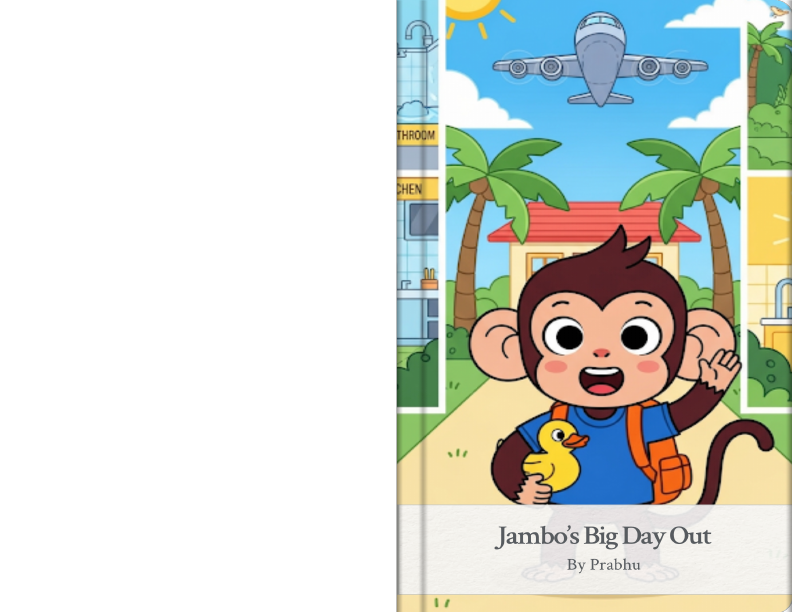
🐒 Real Example — "Jambo's Big Day Out"
Here's a storybook I created with Gemini for my 6-year-old son who loves monkeys. The prompt combined everything he asked for — a monkey bathing, eating a banana, dancing with friends, riding in a car, going to the airport, and flying in an airplane for the first time. Gemini turned it into a 12-page illustrated adventure in under 2 minutes.
These are the actual illustrated pages Gemini created — complete with narration audio. Flip through all 12 pages below, then open the live link to hear the story read aloud!
The Story — All 12 Pages
Here's the complete story Gemini generated, so you can see exactly what it produced. Each page had a matching full-colour cartoon illustration:
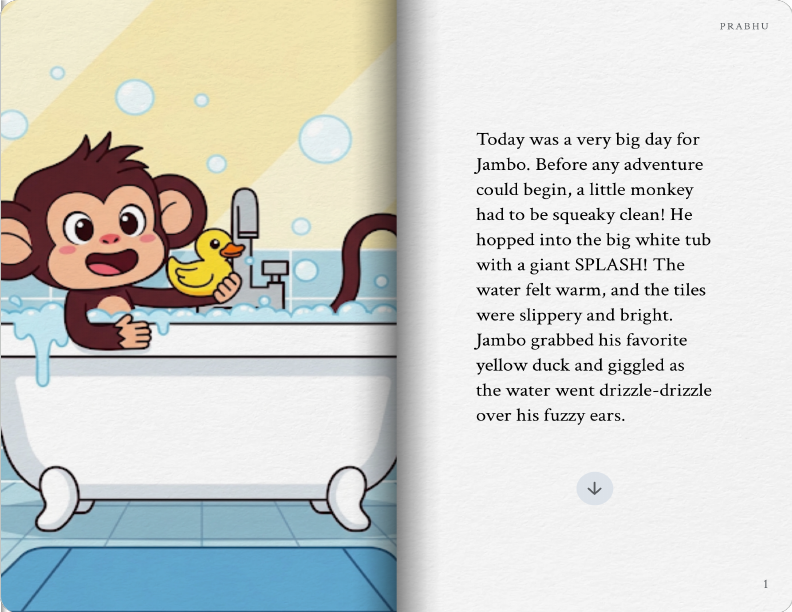
🛁 Page 1 — Bath Time!
Today was a very big day for Jambo. Papa said every adventure could begin clean! He hopped into the big white tub with a giant SPLASH! The water felt warm, the tiles slippery and bright. Jambo grabbed his favourite yellow rubber duck and giggled as it floated beside him.
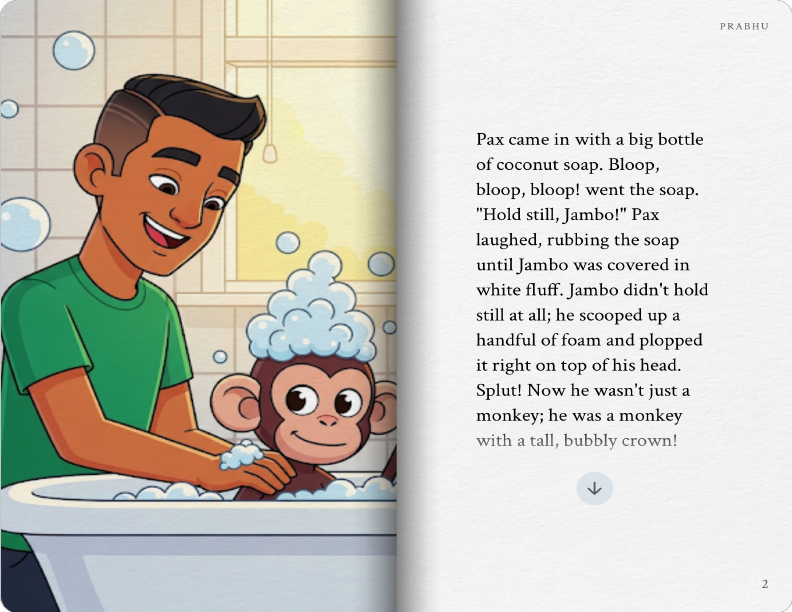
🫧 Page 2 — Bubble Crown!
Papa came in with a big bottle of soap — squirt, squirt, BLOOP! Soon Jambo's head was covered in a mountain of white fluffy foam. "Hold still, Jambo!" Papa laughed. But Jambo could NOT hold still. He was a monkey with a bubbly crown, and bubbly-crowned monkeys NEVER hold still.
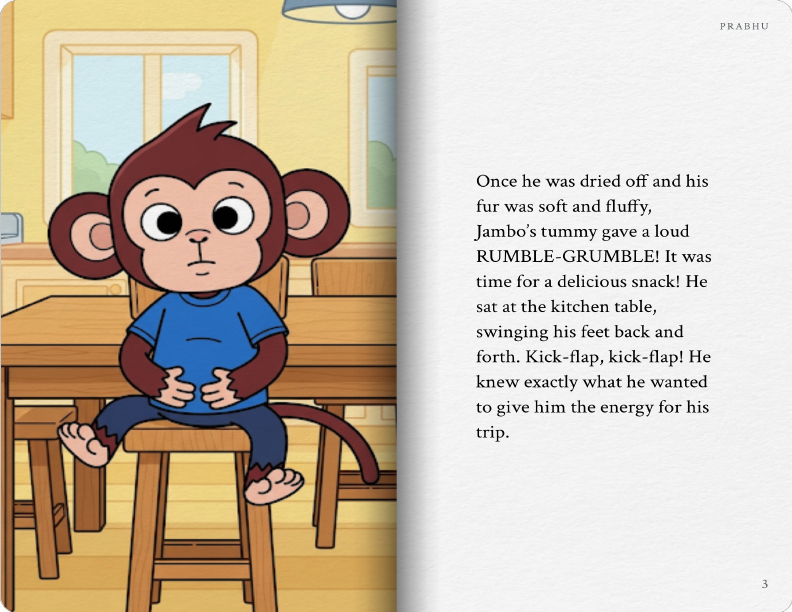
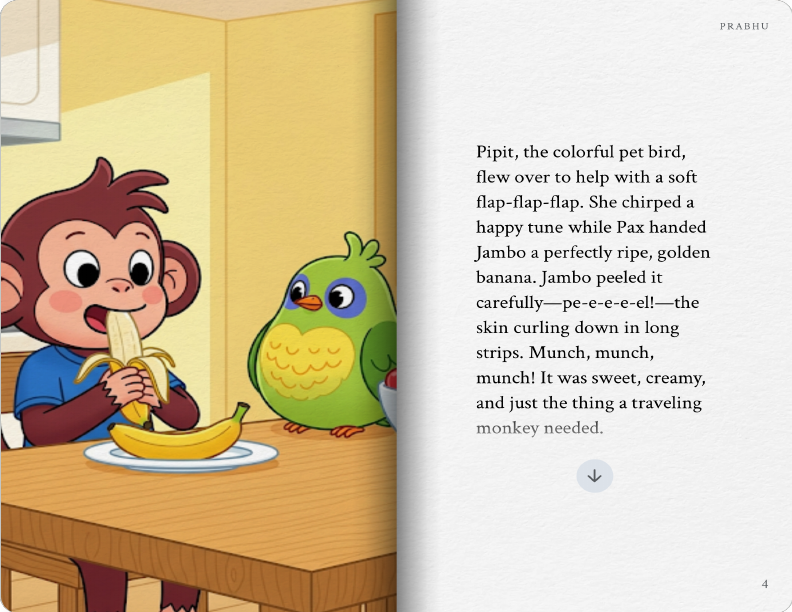
🍌 Page 3 — Rumble Tummy!
Once dried off and soft and fluffy, Jambo's tummy gave a loud RUMBLE-GRUMBLE. It was time to eat! Kick-thap, kick-thap went his feet under the table. Pipe the colourful parrot flew over — flap-flap-flap — and helped Papa hand Jambo a perfectly ripe golden banana. Munch, munch, munch! Sweet, creamy, and delicious.
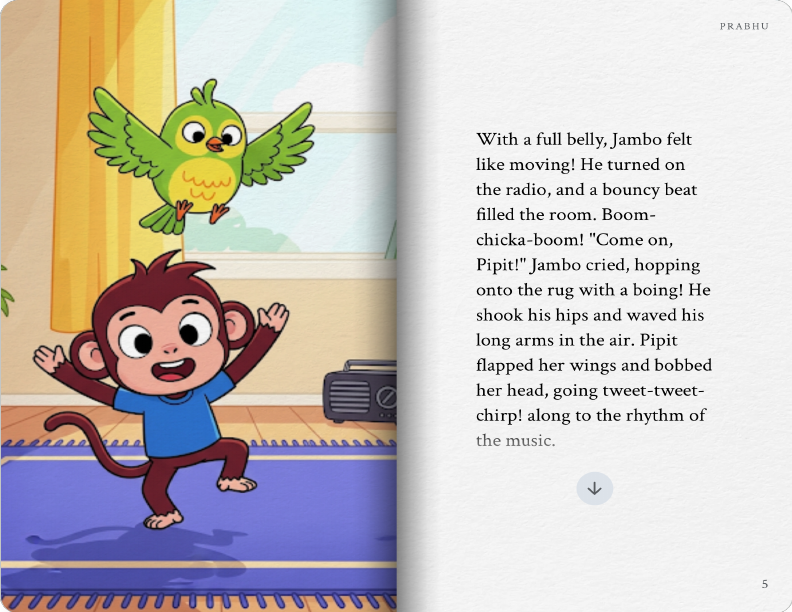
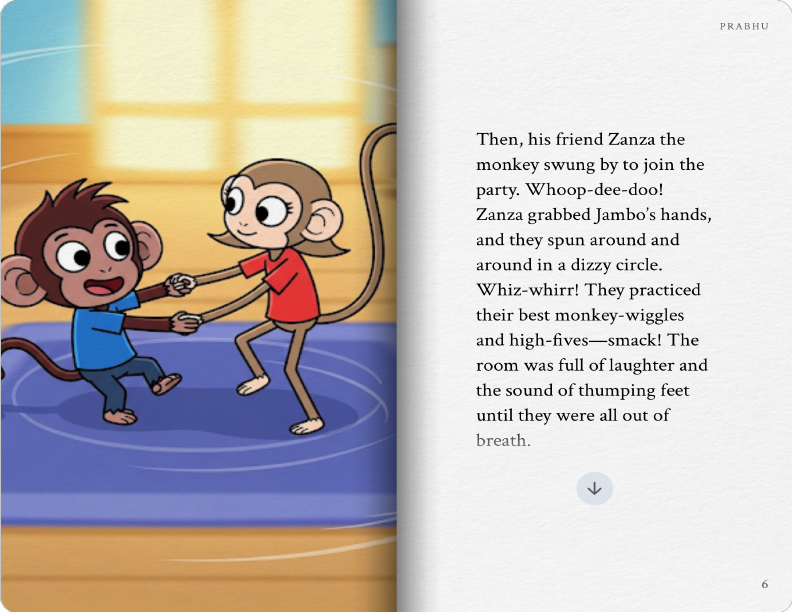
💃 Page 4 — Dance Party!
With a full belly, Jambo felt like moving! BOOM-chicka-BOOM filled the room. Pipe bobbed her head — tweet-tweet-chirp! Then Zara the monkey burst through the door, grabbed Jambo's hands, and they spun in dizzy circles — whiz, whiz, WHIZ! The Monkey Wiggle. The Banana Shake. Laughter until they collapsed on the sofa.
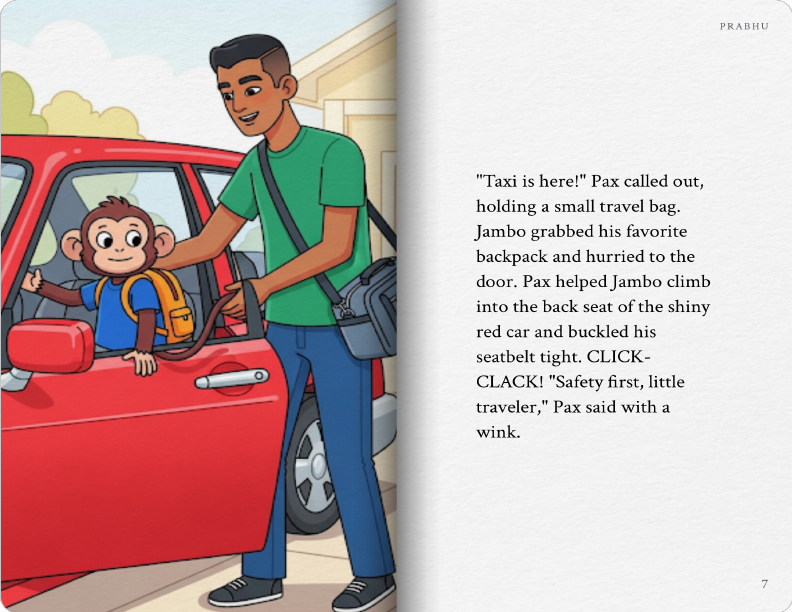
🚗 Page 5 — Taxi Is Here!
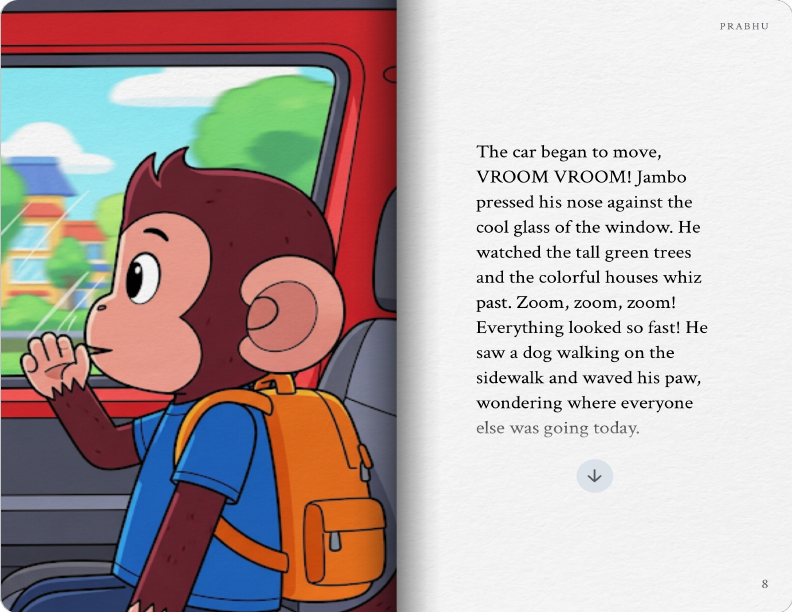
BEEP BEEP! "Taxi's here!" Papa called. Jambo grabbed his star backpack and zoomed to the door. CLICK-CLACK went the seatbelt. "Safety first, little traveller," Papa said with a wink. And Jambo immediately pressed his nose flat against the cool window glass.
🌳 Page 6 — Zoom, Zoom, ZOOM!
VROOM! VROOM! Tall green trees — whoooosh! A dog on the pavement — zoom! Everything looked different from inside a moving car. So fast! So big! Jambo pressed harder against the glass until his breath made a foggy circle. He drew a smiley face in the fog. Then a banana. Then Pipe the parrot.
✈️ Page 7 — The Airport!
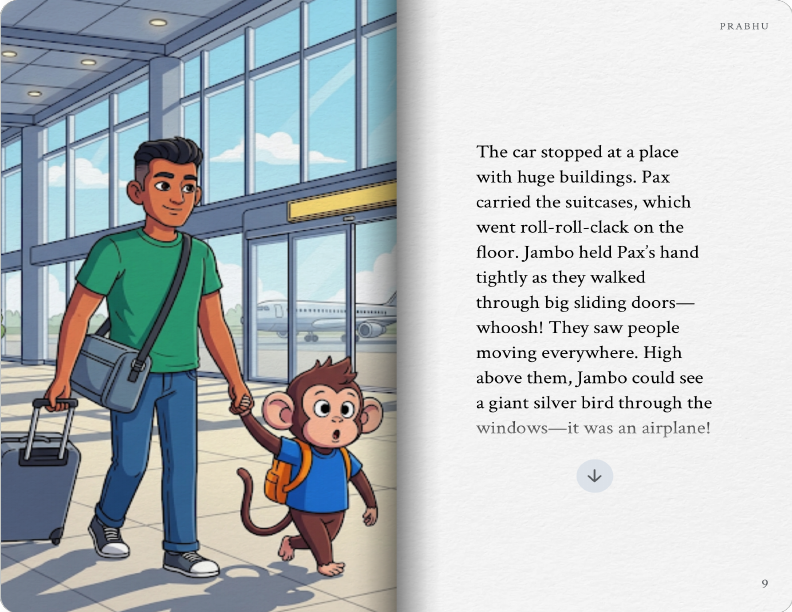
The car stopped at a place with enormous buildings. Papa carried the suitcases — roll, roll, clack-clack-clack. Two giant sliding doors opened all by themselves — WHOOOOSH! People everywhere. Moving staircases. And high up through the windows… a giant silver bird. "Papa," Jambo whispered. "Is that ours?" Papa smiled. "That's ours."
🛫 Page 8 — Up, Up, and AWAY!
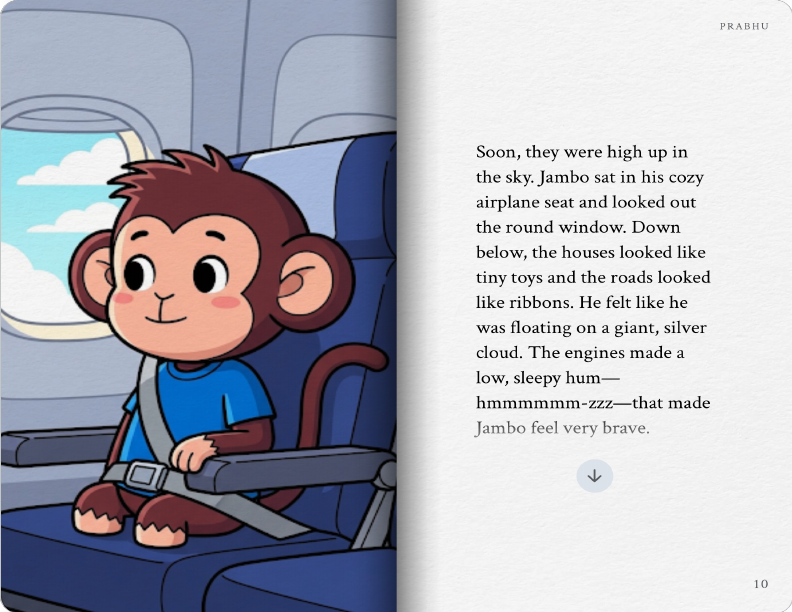
Jambo sat in his own seat by the little round window, rubber duck on his lap for good luck. The engines started — hummmm… hummmm… then ROOOOAAAAARRR! The plane moved faster, faster, FASTER — and then, just like magic, the ground fell away. They were FLYING. The clouds were right there — big, soft, white, like the biggest bubble bath in the whole sky.
☁️ Page 9 — High in the Sky
Everything below was a beautiful painting — blue sea, green land, tiny houses like toys. Jambo felt very quiet and very peaceful. Hummmmm went the plane, like a lullaby. He thought about his bubble bath, the banana, the dance, the zoom of the car. So many things had already happened — and the adventure hadn't even started yet! Pipe peeked out from his backpack and landed on his shoulder. "Tweet," she said softly. Which meant: I'm here too.
🌴 Page 10 — A Brand New Jungle! The Real Adventure Begins!
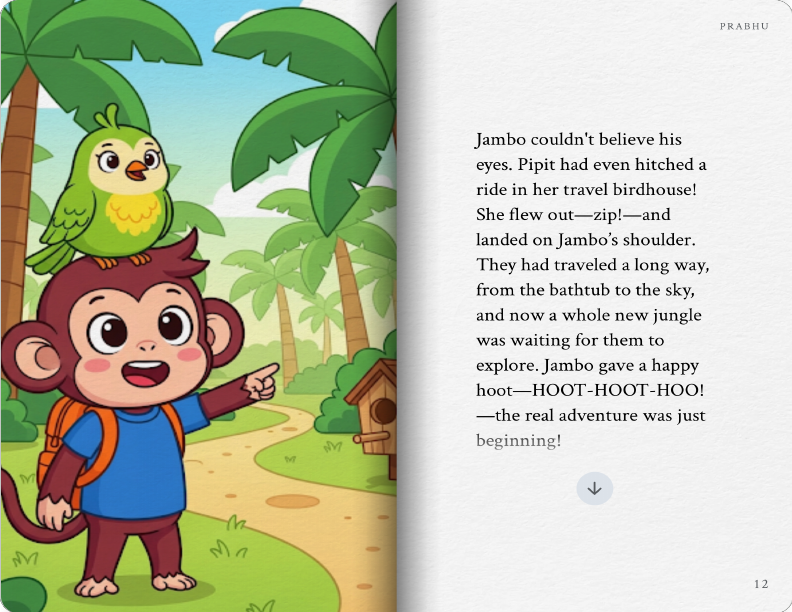
When the plane landed — bump, roll, SCREEEECH! — Jambo looked outside and saw the most amazing thing. Tall, green, enormous trees. Palm trees swaying in the warm breeze. Colourful birds calling in the sky. A whole new jungle! Jambo threw both arms up as wide as they could go. "YAHOOOOOOO!" he shouted, so loud a flock of birds fluttered from the trees. What a day. What a BRILLIANT, beautiful, wonderful day. And the very best part? This was only the beginning. 🌴🐒✨
The prompt used was simple and specific: "Create a 10-page storybook about Jambo, a cheerful little monkey, who has a big day out with his Papa. Include: a bubble bath with a rubber duck, eating a banana breakfast with his parrot friend Pipe, a wild dance party with his monkey friend Zara, riding in a red taxi car, arriving at a big airport, and flying in an airplane for the very first time — landing in a brand new jungle. Cartoon art style, fun sound words, and a happy ending. For a 6-year-old."
Gemini Storybook vs Alternatives
How does it compare to other AI storybook tools?
| Tool | Price | Character Consistency | Narration | Custom Art Style | Best For |
|---|---|---|---|---|---|
| Gemini Storybook | Free | ⚡ Moderate | ✓ 45+ langs | ✓ Many styles | Quick personalised stories |
| Lullaby.ink | Paid | ✓ High (photo-based) | ✓ | ✓ | Photo-realistic child as character |
| C2Story | Paid | ✓ High | ✓ | ✓ | Professional print-ready books |
| Gemini 2.5 (manual) | Free/Plus | ✗ None (no memory) | ✗ | ✓ Prompt-driven | One-off illustration experiments |
| ChatGPT + DALL-E | Plus $20/mo | ⚡ Improving | ✗ | ✓ | Creative control, more iterations |
For pure free value, nothing comes close to Gemini Storybook. Paid alternatives like Lullaby.ink win on character consistency and print quality — but they cost money. For a parent who wants a bedtime story ready in 2 minutes, Gemini is the clear choice.
Verdict
Use Gemini Storybook if: You want a personalised, illustrated bedtime story ready in 2 minutes for free, especially in watercolour or claymation style.
Upgrade to Lullaby.ink or C2Story if: You need your child's actual face to appear consistently across every page, or you want a print-quality PDF to physically produce.
Frequently Asked Questions
Yes — Gemini Storybook is available on the free tier of the Gemini app with a standard Google account. More advanced Gemini plans (Plus at $7.99/mo, Pro at $19.99/mo) may offer higher quality or faster generation, but the core Storybook feature is accessible for free.
Yes. You can upload a photo and Gemini will use it as visual inspiration for the main character. However, Gemini does not precisely replicate the child's face across all pages the way a dedicated tool like Lullaby.ink does — it uses the photo for general likeness and art direction. Also note: you must be 18+ to use Storybook, so parental accounts are required.
Gemini Storybook supports over 45 languages for both story text and audio narration. This includes major Indian languages (Hindi, Tamil, Telugu, Kannada, Bengali, Marathi), European languages (Spanish, French, German, Italian, Portuguese), and many others. You can specify the language in your prompt or the app will match your device language.
Gemini Storybook doesn't currently offer a direct PDF export button. You can share the book as a link or take screenshots of each page. If you want a print-quality version, the coloring book style works especially well — take screenshots, print on A4, and bind them. Third-party tools like Lullaby.ink and C2Story offer proper PDF/print export.
Yes. Gemini Storybook is available globally wherever the Gemini app is accessible, including India. It supports Hindi, Tamil, Telugu, Kannada, Bengali, and Marathi for both story text and narration. Just open gemini.google.com/storybook in any browser — no VPN needed.
Every Gemini Storybook is exactly 10 pages. You cannot currently create shorter books (e.g. 5 pages) or longer ones (e.g. 20 pages). The 10-page format works well for a short story arc but may feel limiting if you have a complex narrative in mind.
