The AI That Knows What You'll Type Before You Do
My grandmother uses her phone almost exclusively to send voice notes. The one time she typed something, she spent four minutes on a 12-word message, fighting autocorrect the entire way. I watched her delete "haan" five times before it stayed. She was furious. But the keyboard wasn't broken — it just didn't know her yet. Give it a week of typing, and it would learn. That's the part most people miss: the keyboard AI isn't fixed. It's continuously trained on you.
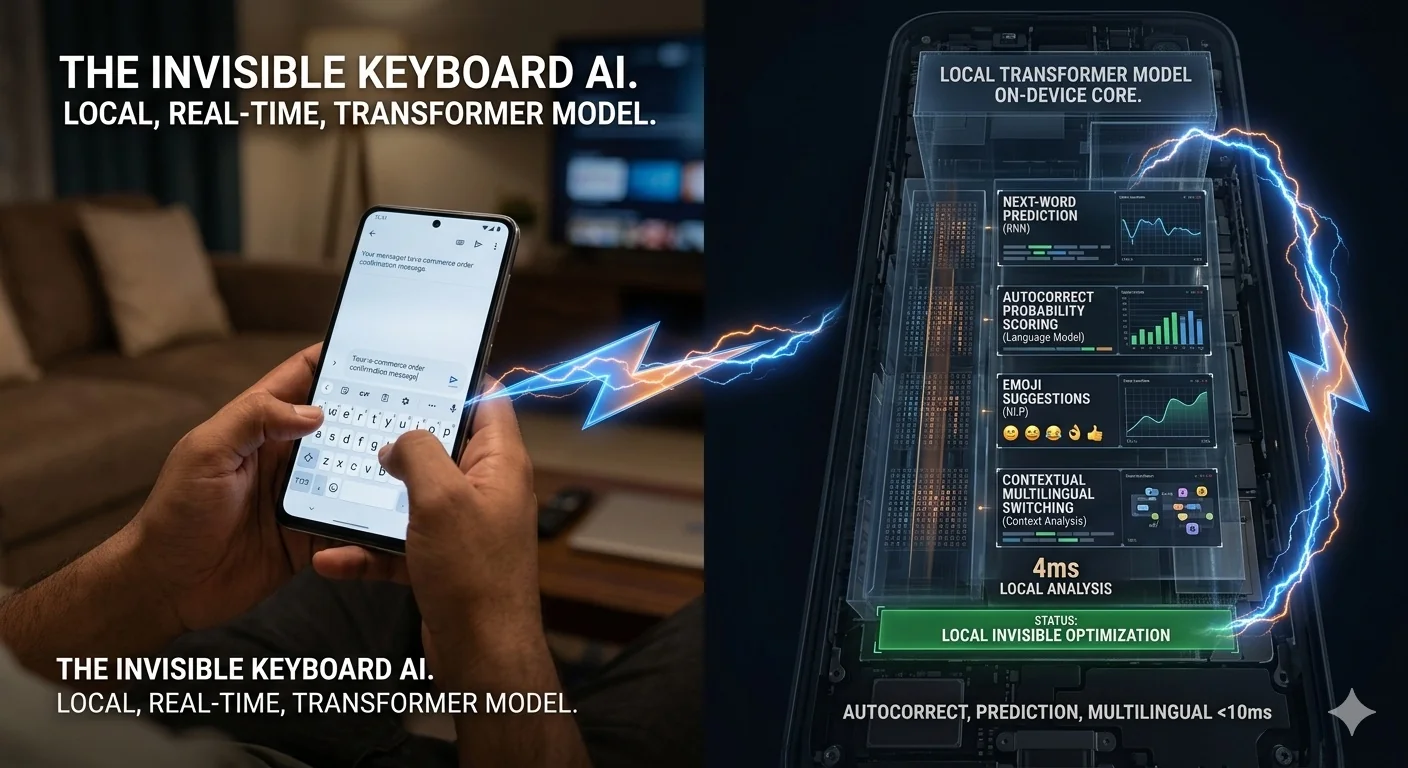
Gboard and the iOS keyboard are, between them, on nearly every smartphone on earth. They feel like simple tools — you press letters and words appear. What's actually running underneath is a local language model, trained on billions of text examples, then personalised to your specific vocabulary, typing patterns, contacts, and communication style. It fires hundreds of times per minute as you type, mostly invisibly. Only when it gets something wrong do you notice it exists.
In this article
- Autocorrect — not a dictionary, a probability model
- Next-word prediction — the tiny transformer on your phone
- Swipe / gesture typing — how the path becomes a word
- How it learns you specifically
- India: Hinglish, 22 languages, and code-switching
- Privacy — what the keyboard does and doesn't send
- Closing the series
Autocorrect — Not a Dictionary, a Probability Model
The first generation of autocorrect (pre-2010) was simple: compare what you typed against a dictionary, find the closest match by edit distance, replace if confidence is high. It was brittle, over-eager, and responsible for millions of embarrassing texts. "I'm almost home" became "I'm almost gone." "Ducking" became something else entirely.
Modern autocorrect is a probabilistic model, not a dictionary lookup. When you type a sequence of characters, the keyboard isn't asking "what dictionary word is closest to this?" It's asking: "Given the words before this, the context of this conversation, this person's typing history, and the partial characters typed — what word were they most likely trying to type?"
That shift from edit distance to probability is everything. It means the keyboard can:
Ignore plausible dictionary words in context. If you're texting someone named "Karan" and you type "Kara," autocorrect doesn't change it to "Karate" even though that's a valid dictionary word — because in the context of your contact list and prior messages, "Karan" is far more probable.
Allow deliberate non-words. If you type "gonna" or "rn" or "ngl" consistently and never correct them, autocorrect stops trying to fix them. It learns that these are intentional.
Correct based on what comes after. Modern systems use a bidirectional context window — they can sometimes revise an earlier word after you've typed more of the sentence, when the later words make the correct interpretation clear. This is subtler and still imperfect, but it exists.
Next-Word Prediction — The Tiny Transformer on Your Phone
The three word-prediction chips you see above your keyboard are generated by a language model running locally on your device. Since around 2019–2020, Google has been running a compressed transformer model on-device for Gboard — not a full GPT-scale model, but a distilled version small enough to run on a phone chip (roughly 4KB for the personalisation layer, larger for the base model).
The model takes your current message context — everything you've typed in this conversation, the app you're in, the time of day — and predicts the probability distribution over what word comes next. The top three are shown as suggestions.
When you've been chatting with someone for months, the keyboard builds a mental model of how you talk to them specifically. The suggestions you see texting your best friend are different from the suggestions you see emailing your manager — same keyboard, same phone, different context model.
The model improves over time because it trains on your actual acceptance patterns. When you tap a prediction, that's positive feedback. When you ignore a prediction and type something else, that's negative feedback. The on-device personalisation model updates from this signal continuously — without your typing leaving the device.
Swipe / Gesture Typing — How the Path Becomes a Word
Swipe typing is the feature where you drag your finger across the keyboard in one continuous motion and the keyboard decodes it into a word. This looks like magic. It's pattern matching — very fast, very accurate pattern matching.
Each word has a characteristic path across the keyboard. "Hello" traces a specific curve from H → E → L → L → O. The keyboard has precomputed the expected path for every word in its vocabulary. When you swipe, it records your actual path and finds the vocabulary word whose expected path is closest to what you drew.
The hard part: multiple words have very similar paths. "Though" and "through" trace similar patterns. "There" and "three" overlap significantly. The disambiguation is done using the same language model as next-word prediction — given the conversation context, which of the closely-matching candidates is more probable? The context model breaks the tie.
This is also why swipe typing gets better at common phrases over time. If you frequently swipe the same sequence, the keyboard learns the start-to-end path of your specific gesture for that word — because everyone swipes slightly differently, and the model adapts to your specific finger patterns.
How It Learns You Specifically
The base keyboard model knows general English (or Hindi, or Tamil). The personalisation layer on top knows your version of English. Here's what it's learning from:
Nicknames, family names, local place names, technical jargon from your field, brand names you mention often, words in other languages you mix in. Every time you type something the base model doesn't know and don't correct it, it gets added to your personal vocabulary.
If you sign off every work email with "Best regards, Prabhu" — after seeing you type this twenty times, the keyboard will offer the whole phrase as a single suggestion. Common expressions, greetings, sign-offs, and frequently typed sequences all get learned as chunks.
Gboard knows which app you're typing in. Your vocabulary in WhatsApp differs from your vocabulary in Gmail. You probably use more slang and emoji in WhatsApp, more formal language in email. The keyboard trains separate usage patterns per app and adjusts suggestions accordingly.
With permission, Gboard reads your contacts list to learn proper nouns — so "Radhika" is recognised and never autocorrected to "Radish" after you've typed it a few times. Some keyboards also read recent conversation context to tune suggestions per recipient.
India: Hinglish, 22 Languages, and Code-Switching
India is Gboard's hardest market — and also, arguably, the one where it's done the most interesting engineering work.
Transliteration. Most Indians who write Hindi or other regional languages in informal contexts don't use the Devanagari script — they type phonetically in Roman characters. "Kya kar raha hai" rather than "क्या कर रहा है". Gboard's transliteration engine converts the Roman phonetic input to Devanagari (or the appropriate script) in real time, while also handling the fact that Hindi phonetics map inconsistently onto Roman characters across different users.
Code-switching. Within a single message, Indian users frequently mix languages — Hindi and English, Tamil and English, or sometimes three languages at once. "Aaj kuch interesting hua" is a perfectly natural message. The keyboard model has to track which language is currently active, switch prediction models accordingly mid-sentence, and not treat the switch itself as an error to correct.
Hinglish as its own dialect. Hinglish is not just Hindi + English. It has its own idioms, grammar patterns, and vocabulary that are neither purely Hindi nor purely English. Google has trained specific Hinglish models — not just bilingual models — because the combination behaves differently from either language alone.
22 Indian languages officially supported. Gboard supports Hindi, Tamil, Telugu, Kannada, Malayalam, Bengali, Marathi, Gujarati, Punjabi, Odia, Assamese, and more. The depth of support varies: Hindi has the best model, trained on the largest corpus. Smaller-language models are less accurate on rare words and names — a common complaint from users typing in less-resourced languages like Konkani or Manipuri.
"The keyboard is sending everything I type to Google"
By default, Gboard processes all typing locally on your device. The personalisation model, the next-word predictions, the autocorrect — all on-device. Google does collect aggregate, anonymised data about which words are frequently typed but uncorrected (to improve the base model globally), and some features like voice typing and Smart Reply do communicate with servers. But your actual keystrokes, in the standard typing mode, stay on your phone. This is why the personalisation model is only 4KB — it's a small local update, not a cloud model.
Privacy — What the Keyboard Does and Doesn't Send
The keyboard occupies a uniquely sensitive position on your phone: it sees everything you type, in every app, including passwords, medical searches, financial details, and private messages. The privacy implications of this are worth being direct about.
Gboard's privacy architecture is built around on-device processing by design — partly for privacy, partly because sending every keystroke to the cloud would be impractically slow. The personalisation model trains locally using federated learning: your phone computes its own model updates from your typing, sends only the anonymised update (not the raw text) to Google's servers, and Google aggregates updates from millions of devices to improve the global model. Your specific phrases never leave your phone.
The exceptions to on-device-only processing: voice typing (audio is sent to servers for transcription), Smart Reply in some apps (conversation context is sent to generate reply suggestions), and optional "improve Gboard" data sharing (explicitly opt-in). Password fields are explicitly excluded — the keyboard suppresses its learning and suggestions when a password field is detected.
iOS keyboard has a similar architecture. Apple is particularly strict about keyboard data — third-party keyboards on iOS are not allowed full access to network communication while typing without explicit user permission, and Apple's own keyboard is on-device-only for all typing tasks.
The honest caveat: you're trusting these companies' privacy policies and their implementation. The policies are clear; the implementation is not auditable by users. If this is a concern, there are open-source keyboard alternatives (OpenBoard, FlorisBoard on Android) that are fully on-device with verifiable no-network architecture.
Closing the Series
We started this series with a simple observation: my cousin had used AI 12 times before 9am without realising it. By now you've seen all 11 of those moments laid out in detail.
WhatsApp caught a scam in your mother's DMs. Instagram buried 85% of what you follow and showed you the 15% most likely to keep you scrolling. Google Maps predicted the traffic jam on your route before it was visible. YouTube found a path from cricket highlights to a Scottish bus collector in 90 minutes. Google ran five separate AI models in 0.3 seconds to find your search results. Spotify read music blogs to recommend a song that felt personally selected. Netflix changed the thumbnail based on what you're likely to click. UPI screened your payment for fraud in 100 milliseconds. Your bank tracked every transaction against a behavioural baseline it built over years. Your camera merged 15 frames and ran a depth estimation model before you pressed the shutter. And your keyboard predicted what you meant to type before you finished typing it.
None of this is magic. All of it is engineering — much of it genuinely impressive engineering, solving genuinely hard problems at enormous scale. But engineering built by organisations with their own interests, their own objectives, their own data needs.
Knowing how these systems work doesn't make you paranoid. It makes you a more deliberate user. You can still use all of them — I do, every day. You just use them with a slightly clearer picture of what's happening on the other side.
🎉 Series Complete — All 11 Articles
You've reached the end of Invisible AI. Explore all 11 articles, share the ones that surprised you, and revisit the hub whenever a new one you didn't expect shows up in your daily life.
Back to the Invisible AI Hub →I set up my grandmother's phone with Gboard and Hinglish enabled, and showed her how to type "haan" without getting corrected. I also disabled the more aggressive autocorrect settings — there's a "auto-correction strength" slider that most people never find.
Two weeks later she texted me: "aaj bahut achha din tha beta" — "it was a really good day today, son" — in perfectly typed Hinglish, no corrections, no backspacing. The keyboard had learned her. She still mostly sends voice notes. But the option is there, and it works for her now.
That's the thing about this AI. At its best, it adapts to you — not the other way around. The frustration is when it isn't there yet, and you have to fight it while it learns. The patience required is short. The payoff, for my grandmother at least, turned out to be worth it.